Ragdoll Verity Sandbox Controls Guide
Standard Roblox movement meets the push / throw / launch loop—with honest gaps called out.
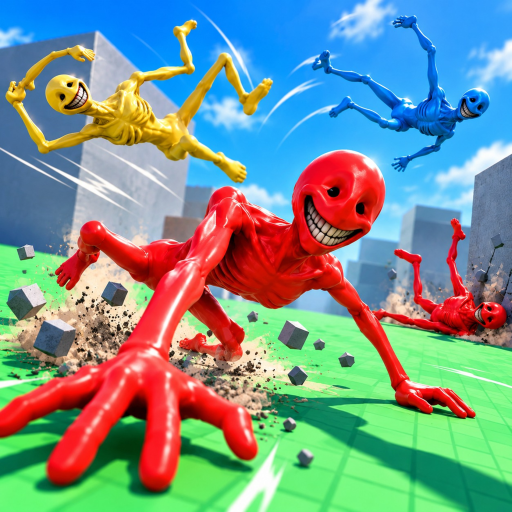
This Controls guide explains how to drive a Ragdoll Verity Sandbox session across devices without pretending we have a leaked official keybind PDF. The experience runs on Roblox, so movement, camera, and menu habits mostly match platform defaults. On top of that sits the game’s fantasy loop: push, throw, and launch Verity, then watch ragdoll physics respond. Where a bind is unconfirmed, we say so—guessing falsely helps no one.
Pair this page with Getting Started for session structure and Physics Tips once inputs feel natural.
Shared mental model (all devices)
Regardless of input hardware, keep these verbs straight:
| Verb | Intent | Good first use |
|---|---|---|
| Move | Reposition yourself / approach vectors | Circle Verity before touching |
| Camera | Frame the ragdoll path | Practice orbiting during a soft push |
| Push | Low-commitment contact | Flat-ground damping lessons |
| Throw | Directed force with a clear landing | Toward an open prop cluster |
| Launch | Force plus elevation / ramp energy | Slope or ledge experiments |
| Reset | Recover from wedges | After soft-locks—not after every mild fail |
You are not combo-routing a fighter. You are staging physics.
PC (keyboard + mouse)
Movement & camera (standard Roblox)
| Action | Typical default | Notes |
|---|---|---|
| Move | WASD | Hold to set run-up lines for throws |
| Jump | Space | Useful for slight elevation before a push |
| Camera orbit | Mouse move | Keep Verity centered through tumbles |
| Zoom | Scroll wheel | Pull out for launches; push in for limb detail |
| Roblox menu | Esc | Reset character, leave, settings |
Sensitivity is personal. If fast spins make you lose Verity mid-air, lower camera sensitivity in Roblox settings before blaming the sandbox.
Push / throw / launch on PC
Exact click-versus-key mappings can vary with how burg games.. wired interactions, and not every prompt is documented in a public manual. Practical approach:
- Stand near Verity and look for on-screen prompts or cursor highlights.
- Try primary click (usually left mouse) for grab/push-style contact if the place uses click interaction.
- Try secondary click or a prompted key for throw/release if a grab mode exists.
- If interaction is proximity + key (common patterns include
E/F-style contextual keys in many Roblox games), watch for a contextual label before mashing random binds. - Record which bind worked on your build; updates can shuffle UX—see Updates.
Unconfirmed: We do not publish a fake definitive “Press X to mega-launch” table. If your HUD shows labels, trust those over any wiki guess.
PC quality-of-life
- Bind recording software separately if you clip often.
- Use a locked 60 FPS feel if physics readability matters more than uncapped blur.
- Fullscreen helps track airborne arcs.
Mobile & tablet
Touch sessions are first-class—the listing includes Mobile and Tablet—but precision changes.
| Action | Typical Roblox touch pattern | Sandbox tip |
|---|---|---|
| Move | Left virtual thumbstick | Short strafe adjustments before a throw |
| Camera | Right-side drag | Drag smoothly during flight; avoid jabbing |
| Jump | Jump button | Tap once for ledge approach |
| Interact | On-screen action buttons / taps on subject | Look for contextual buttons near Verity |
| Menu | Roblox top bar | Reset when wedged |
Thumb occlusion: Your hands hide the lower third of the screen. Frame launches so Verity travels toward the upper two-thirds while airborne.
Throw power on touch: Many players accidentally feather inputs. Practice a firm, deliberate press rather than frantic taps. Flat-ground Experiment A/B from Getting Started exists for this reason.
Unconfirmed: Gesture chords unique to this place (if any) should be learned from in-game prompts, not invented here.
Console
Console play uses controller defaults familiar to Roblox:
| Action | Common pattern | Notes |
|---|---|---|
| Move | Left stick | Approach lines matter more than max speed |
| Camera | Right stick | Slow orbits during ragdoll peaks |
| Jump | Face button (often A / × depending on brand) | Elevation for launches |
| Interact | Contextual face / trigger buttons | Follow on-screen prompts |
| Menu | Roblox / Options patterns | Reset character |
Trigger analog ranges can make “half push vs full throw” feel better than binary mouse clicks—if the game maps interaction that way on your version. Confirm in your build; do not assume triggers always equal throw power.
Disable hard vibration if it distracts from watching limb timing (optional comfort tweak).
Camera craft is part of “controls”
A correct bind with a terrible camera still yields a boring clip. Treat camera as a control axis:
- Pre-aim the view toward the landing zone before you release.
- Lead slightly so Verity flies into frame rather than out of it.
- Zoom out before big slope launches from the tier list S-tier ideas.
- Zoom in after settle if you want a comedy reaction beat.
More on this in Physics Tips.
Accessibility & comfort
- Lower camera shake / motion effects in Roblox settings if ragdoll spins nauseate you.
- Increase UI scale on console/TV if prompts are easy to miss.
- Play seated for long experiment sessions; this is a physics lab, not a rhythm marathon.
Troubleshooting inputs
| Symptom | Likely cause | Try |
|---|---|---|
| Nothing happens near Verity | Wrong distance / missing prompt | Step closer; hunt HUD labels |
| Camera fights you on mobile | Drag conflict with move stick | Move first, then adjust camera, then interact |
| Throw power feels random | Inconsistent press length | Count “one-Mississippi” press timing |
| Controls “broke” after a patch | UX or physics tweak | Re-read prompts; check Updates |
| Friend says different keys | Different device or outdated clip | Trust your HUD; clips go stale |
What we will not invent
- Fake F1 “show all keys” overlays copied from unrelated ragdoll games
- Executor key menus from the Scripts underworld
- Controller macros as “required” tech
If burg games.. later ships an official controls graphic, this page should defer to it.
Practice routine (10 minutes)
- Two minutes camera-only orbits around Verity.
- Three soft pushes, same stance.
- Three throws at a marked target.
- Two elevated launches.
- One intentional reset drill so recovery is muscle memory.
Log which device you used on the community hub clip notes if you share footage—viewers appreciate knowing whether they are mirroring touch or mouse.
Related pages
Master the boring consistency of inputs first. Spectacular crashes are just consistent inputs aimed at interesting geometry.
Frequently Asked Questions
Quick answers about Verity launches, codes, and solo physics sessions.
What are the exact throw keys?
Follow on-screen prompts in your build. This guide covers standard Roblox movement/camera plus the push/throw/launch loop without inventing unverified hotkeys.
Does mobile use different controls?
Yes in presentation—virtual sticks and touch buttons—but the same verbs apply: move, camera, push, throw, launch, reset.
Can I remap keys?
Use Roblox platform settings where available. Experience-specific binds may be fixed by the creator.
Why do my throws feel weaker than in videos?
Device latency, camera angle, and inconsistent press length are common. Practice timed presses on flat ground first.
Where do I learn advanced launch setups?
After controls feel stable, read Physics Tips and the Tier List.