Ragdoll Verity Sandbox Filming Funny Verity Clips
Turn solo ragdoll chaos into readable highlight clips friends actually watch.
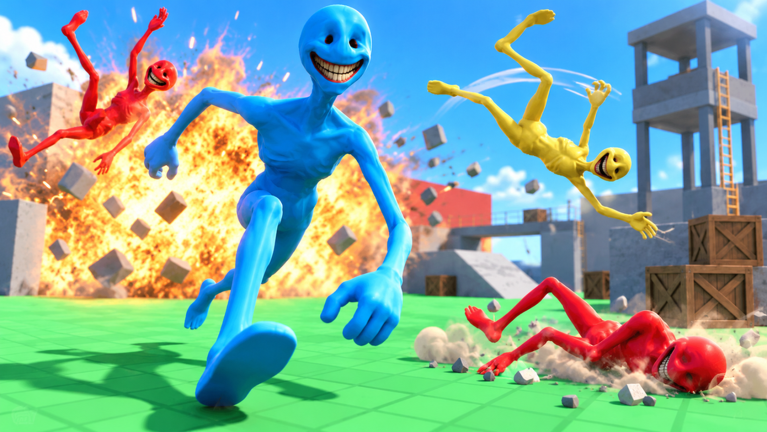
Ragdoll Verity Sandbox is a solo Roblox physics sandbox by burg games.., so the social payoff is almost always a clip. You cannot share a server with friends (max players 1), but you can share a five-second tumble that sells the joke. This guide covers how to capture and share funny Verity ragdoll moments: device recording options, framing, lighting, timing, and the habits that ruin otherwise great crashes. Pair it with Getting Started for session structure and Physics Tips for the one-variable method that creates better raw material.
What a “good” Verity clip actually needs
A keeper clip is not the longest fling. It is the most readable gag:
- Viewer can tell where Verity started.
- Flight or tumble path stays on screen.
- At least one surprising bounce or settle beat lands.
- Audio (if any) is not all UI clicks and mic rustle.
- The ending shows limbs fully settle—or a clean smash cut on the punchline.
If you only chase distance, you will upload empty sky. Rank ideas against the Tier List after you can film them cleanly.
Device recording options (Roblox-friendly)
Pick the path that matches your hardware. You do not need paid editors for a first reel.
PC
- Windows Game Bar (
Win + G/Win + Alt + Ron many setups) for quick local captures. - GPU overlays (NVIDIA / AMD) if you already use them for other games.
- Roblox’s own capture tools when available in your client build—follow on-screen prompts; labels change over time.
Record at a resolution you can actually upload. 1080p is plenty for ragdoll comedy; chasing 4K only helps if your upload path keeps the detail.
Mobile and tablet
- Use the OS screen recorder (Control Center / Quick Settings style tiles).
- Lock orientation before the throw so the clip does not rotate mid-tumble.
- Enable Do Not Disturb so a notification banner does not cover Verity’s best bounce.
- Keep thumbs out of the flight path—see framing notes below and skim Controls if touch UI feels crowded.
Console
- Use the platform capture button / share feature for the last X seconds, or start a clip manually before the attempt.
- Remember capture length limits; start recording before the push, not after you laugh.
Whatever the device, do a ten-second test clip at session start. Confirm the game audio level and that the capture includes the window you think it includes.
Framing: put the joke where eyes land
Pre-aim the landing third
Before you release a throw, place the expected landing in the lower or middle third of the frame with headroom above for the arc. Chasing the subject after release is how you film shoes and empty floor. Physics Tips expands camera styles; this page insists on one rule: decide the frame before the input.
Prefer three-quarter over pure rear chase
A slight side angle shows tumble rotation. Dead-on rear views hide spin. High-wide shots work for multi-obstacle chaos once you scout landmarks on Map & Obstacles.
Leave margin for limbs
Ragdolls stretch wider than standing avatars. Zoom out one notch more than your instinct on PC; on mobile, bias the subject toward the upper half so thumbs do not eat the punchline.
Avoid HUD-heavy corners when you can
You cannot always hide Roblox chrome, but you can keep the flight path away from chat toasts and button clusters. Reposition yourself rather than cropping later into mush.
Lighting and readability
Comedy dies in mud.
- Face Verity toward brighter sky or open walls when possible so the silhouette reads during spins.
- Avoid filming into underexposed indoor pockets for your “hero” take—scout a brighter duplicate of the same obstacle idea.
- Watch for busy floor textures that camouflage limbs; a contrasting surface sells the settle flop.
- If the place lighting is flat, motion has to carry the gag—use cleaner arcs from Physics Tips instead of darker corners.
You are not lighting a film set; you are picking the side of a prop where the ragdoll stays visible.
Timing: start early, end late
| Moment | Habit |
|---|---|
| Pre-roll | Start capture 1–2 seconds before the push/throw/launch |
| Release | Keep camera leading the path; silent count helps |
| Impact | Hold still enough that the bounce is readable |
| Settle | Keep recording until limbs stop twitching |
| Cut | Trim dead pre-roll later; do not stop early in-engine |
Late settle frames are the punchline more often than the first collision. Ending the clip the instant Verity hits a wall deletes the joke.
For multi-bounce hopes, commit to a longer take. You can always shorten in an editor; you cannot invent frames you never captured.
Session workflow that produces shareables
- Warm up with soft pushes from Getting Started—do not film the first chaotic mash.
- Pick one landmark from Map & Obstacles.
- Run a control take without caring about upload quality.
- Change one variable (angle, power, or camera)—Physics Tips.
- Film two keepers of the winner; pick one to share.
- Note device + setup name so friends can compare on the Tier List.
Two intentional clips beat twenty unreadable yeets.
Sharing without wrecking context
When you post (friends chat, social apps, Roblox-adjacent communities):
- Say it is Ragdoll Verity Sandbox by burg games..—name confusion is common; send confused people to the name guide once it is live in your bookmarks.
- Mention solo so viewers stop asking for your server link.
- State PC / mobile / console briefly.
- Do not title clips as if a secret executor made the bounce—see Scripts Hub for why that culture is toxic.
- Credit the creator when your platform norms allow.
Short captions that teach (“slope into wall seam, medium throw”) help other solo players more than vague “BRO 😭” alone.
What NOT to do
- Do not start recording after the funny part already happened.
- Do not chase max power on every take; medium throws into seams film better.
- Do not cover the subject with your thumbs, chat spam, or a second app overlay.
- Do not use unauthorized recording “boost” executors or injectors—account risk, zero comedy gain (Scripts).
- Do not crop so aggressively that Verity becomes a pixel smear.
- Do not promise multiplayer “duo crash” content this place cannot host.
- Do not mislabel the game as Ragdoll Sandbox / Rise To Top or a Verity fighter morph experience—wrong audience, wrong codes culture (Codes).
- Do not spam the same dead angle hoping algorithms forgive unreadability.
Audio hygiene (optional but helpful)
Mute your mic if you are not commentary. Keyboard clacks and chair squeaks bury impact sounds. If you do talk, leave a beat of silence before the throw so the gag breathes. Game audio slightly above voice usually reads better for physics comedy than the reverse.
Editing lite (five minutes max)
You do not need a cinema pipeline:
- Trim pre-roll to a half-second of anticipation.
- Cut soon after settle—or smash-cut on the best flop.
- Optional: one zoom punch on impact (do not spam zooms).
- Export without crushing bitrate into muddy blocks.
If editing tempts you to add fake “script UI,” stop. Honest physics is the brand.
Troubleshooting bland clips
| Symptom | Likely cause | Fix |
|---|---|---|
| Funny live, boring on video | Camera late / too tight | Pre-aim landing; zoom out |
| Subject lost in dark | Bad lighting choice | Reshoot toward open light |
| Path exits frame | Rear chase + high speed | Three-quarter lead + earlier strafe |
| Joke unclear | No settle frames | Hold recording longer |
| Same clip energy every time | Same landmark daily | Rotate obstacles via Map guide |
| Inputs look panicked | Unstable controls | Stabilize with Controls |
Cross-training with the rest of the wiki
- Getting Started — first-session loop and reset habits before you film seriously.
- Physics Tips — bigger readable crashes and experiment cards.
- Controls — device-specific input calm so takes stay smooth.
- Map & Obstacles — landmarks worth pointing a camera at.
- Tier List — which setups deserve a highlight slot.
- Updates — re-test filmed routes after Roblox metadata stamps.
- Community hub — favorites, likes, and clip culture around burg games..
Quick preflight checklist
- Test recording works on this device.
- Notifications muted / orientation locked.
- Landmark and start mark chosen.
- Camera pre-aimed at landing third.
- Hypothesis for this take (even a short one).
- Capture started before push.
- Plan to hold through settle.
- Honest title ready—no fake tool claims.
Film like a witness, not like a slot machine. Verity already flops for free; your job is to make sure someone else can see it.
Frequently Asked Questions
Quick answers about Verity launches, codes, and solo physics sessions.
What is the best way to record Ragdoll Verity Sandbox on PC?
Use Windows Game Bar, your GPU overlay, or Roblox’s built-in capture when available. Do a short test clip first so audio and window bounds are correct.
When should I start and stop recording?
Start one to two seconds before the push, throw, or launch, and keep recording until Verity’s limbs fully settle so the punchline is visible.
Why do my clips look worse than the live session?
Usually late camera chase, tight framing, or dark backgrounds. Pre-aim the landing third, zoom out slightly, and shoot toward clearer light.
Can friends join my server to film together?
No. The experience is solo (max players 1). Share exported clips afterward instead.
Should I use scripts to make crazier footage?
No. Unauthorized scripts risk your account and fake the physics. See the Scripts Hub and improve setups with Physics Tips instead.
Which guides help me find better crash setups to film?
Use Map & Obstacles for landmarks and the Tier List to prioritize S-tier ideas worth capturing.